
Applications, loans, tzaddikim, the bank register, campaigns, and the checks you write all post to the same books. A fundraiser’s report is available the same day. The bank confirms it afterward.
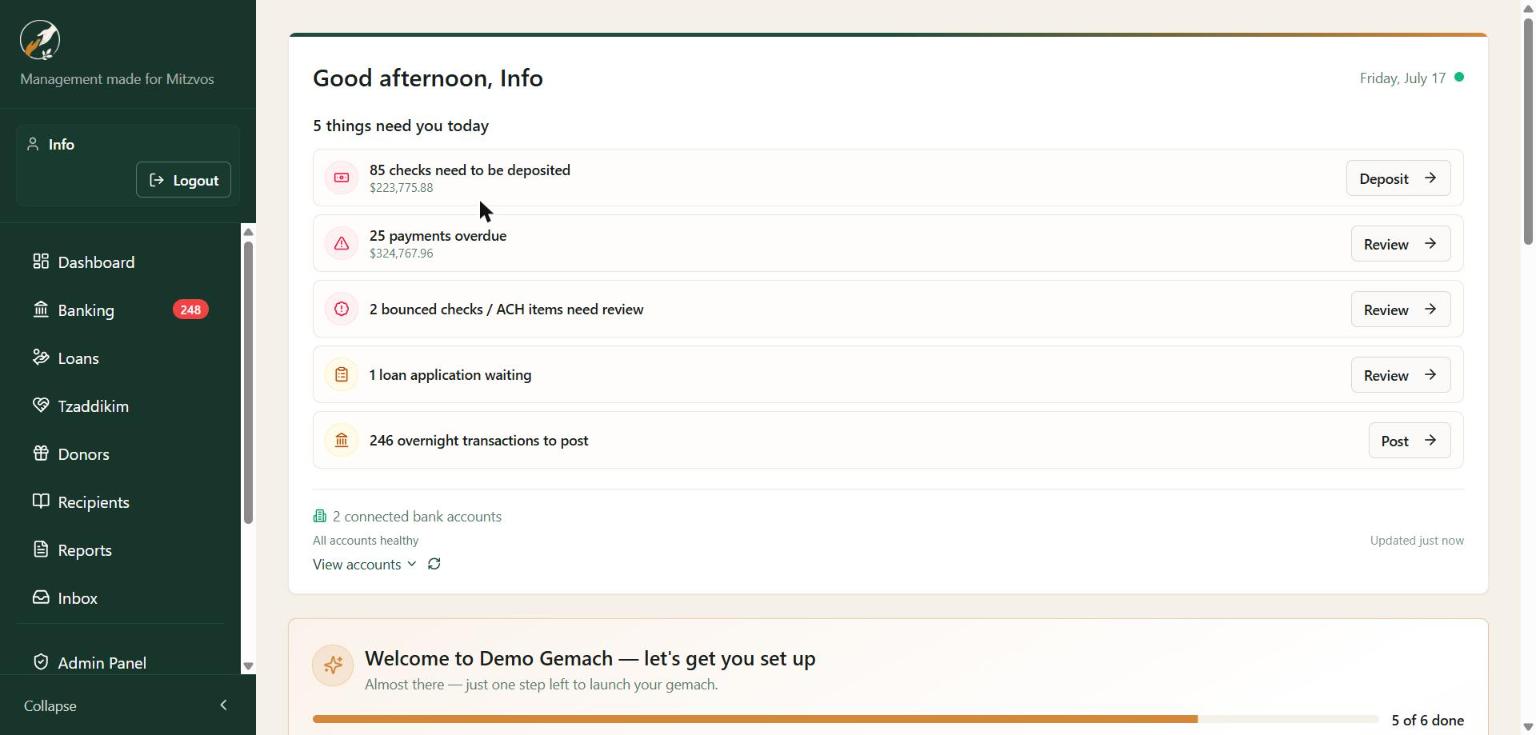
Open Mitzvah Manager and it tells you what needs attention today: checks to deposit, overdue payments, bounced items, applications waiting, and transactions to post. Below that, cash that is still here. Tzaddik leftover and gemach leftover add up to what you can lend right now. Lending the money moves the leftover down. A repayment moves it back up.
Stop keeping a second app for campaigns. Donors, volunteer fundraisers, pledges, and payouts live next to the bank register, so a gift and the check that spends it are the same money.
Each campaign also shows what is actually available to pay out, after the trust rule and the fee rule you chose.
When a volunteer says “the Kleins sent $500 by Zelle,” that money is available for the campaign right away. The bank feed confirms it later. You never wait on a deposit to post before you can help a family.
You choose how much trust to extend. Count every report, count reports only up to a cap, or wait for the bank. If a Zelle or OJC gift never arrives, the fundraiser is asked once. Nothing is thrown out on its own.
A known fundraiser texts a name and an amount, or sends a photo of a pledge card. The gift is recorded, tagged to that person and that campaign, and they get a short confirmation.
An unknown number cannot invent a fundraiser. Card numbers sent by chat are refused.
Donors give at a short link for the organization, the campaign, or a specific fundraiser. Card, ACH, check, cash, Zelle, and the funds your community actually uses — OJC, The Donors Fund, Matbia, Pledger — are each handled the right way.
Open pledges, what is past due, and what came in this month sit on one list. A pledge never inflates what you can spend.
Zelle, a store account, or a check all come off the same campaign balance. A fixed monthly pot can be blocked from going over. A pot with no ceiling is tracked by recipient. A pot funded by gifts cannot pay out more than the gifts, after your fee rules. A recipient who is over their yearly cap is flagged before the next payment.
Pause a campaign, hide it from the public page, or mark it complete. When the goal is reached, fundraisers hear it once. The campaign report prints with your logo: raised, fees, net, payouts, who brought it in, and every gift.
These numbers use your fiscal year, not a calendar someone else picked. Refunds come out. A reported gift and a bank-confirmed gift are labeled differently, so the board is not shown money that has not landed.
LYBUNT and SYBUNT lists name who gave last year and not this year, and who has gone quiet for two years, with a suggested ask based on their own history. Export them and work them. RFM segments show who is recent, frequent, and generous, using breakpoints you set.
Each donor who is drifting gets a score from 0 to 100, with the reason on the card: how long since the last gift, and whether this year is softer than last year. It is their giving, not a purchased wealth score. Open the person and start the follow-up from that card.
Goal progress, first-time versus repeat donors, method, cost, and pace. A fundraiser leaderboard splits what they reported from what the bank has confirmed, so a volunteer whose reports never arrive is visible.
See pledge dollars by how late they are, and which reminders were answered. Recurring plans show how many stopped in the last twelve months. The Action Center drafts the email or text, and it will not send until the donor has agreed. Every text includes a STOP line. Every fundraising email has a one-click unsubscribe that stops appeals and leaves receipts alone.
Raised, refunds, retention, and what still needs a call, ready to print or export with the rest of your reports. Households and soft credits let you thank the person who should be recognized without counting the gift twice. A matching campaign shows the match as information. It does not invent cash.
Stop chasing paper. Borrowers apply and sign online — you review and approve in one click.
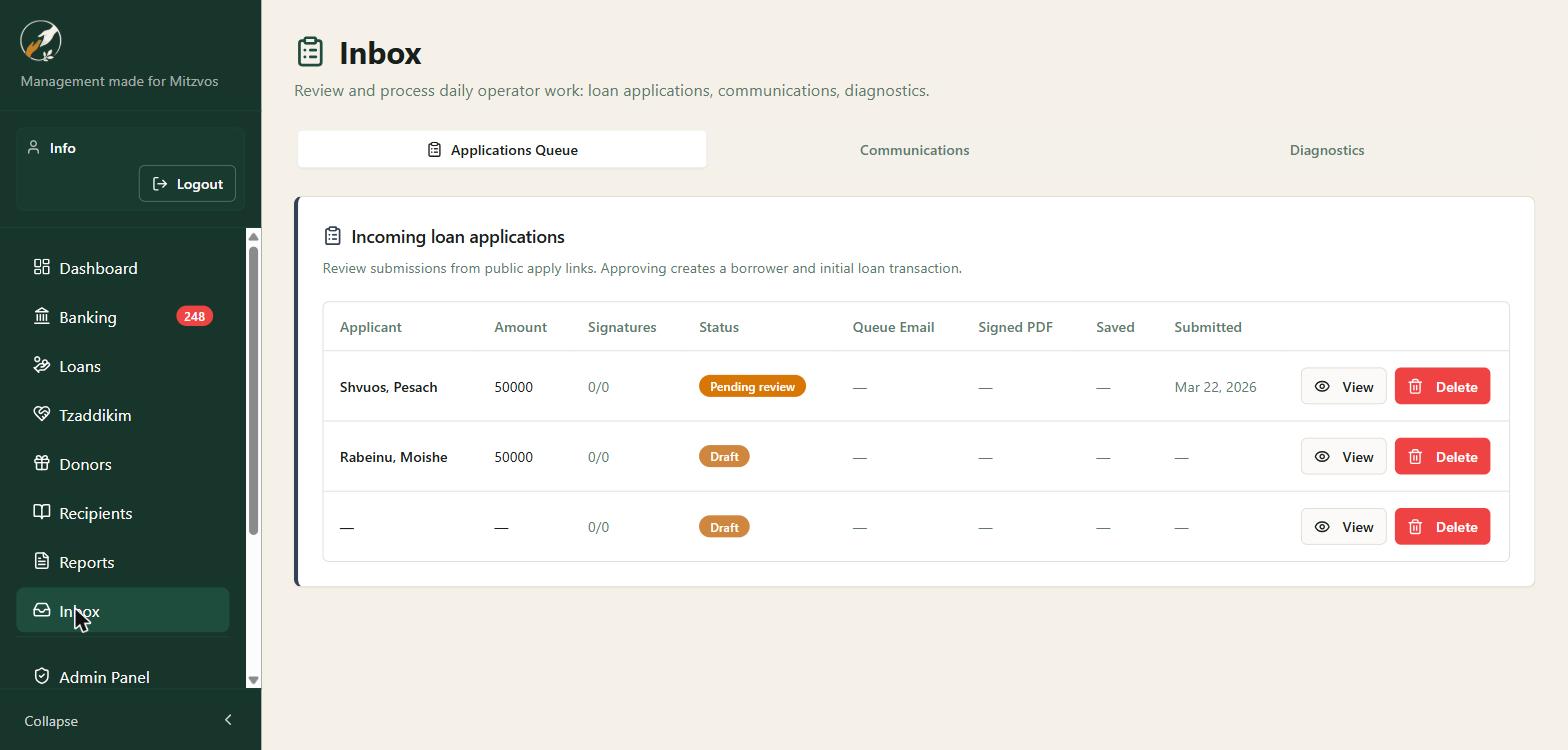
Send a secure application link by email (or share it directly) — applicants don't need a login. They fill out the form and sign electronically. Every submission lands in your review queue.
Connect your bank and every transaction flows into a running register. Classify each line in one move and your books always match the bank.
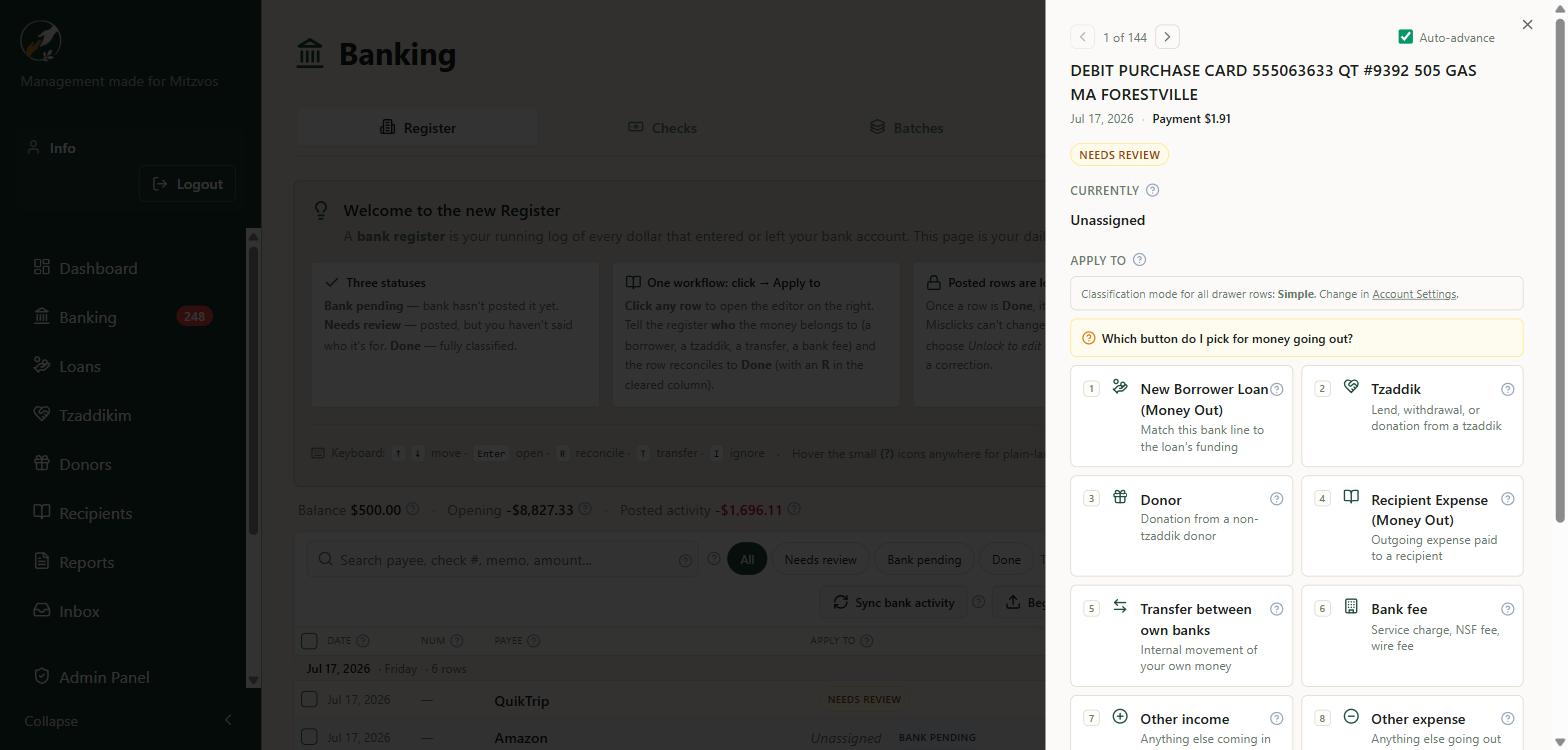
Click any line in the register and a shelf slides out. Tell it who the money belongs to — a borrower loan, a tzaddik, a donor, a vendor expense, a transfer, or a bank fee — and the row reconciles to Done. Keyboard shortcuts and auto-advance let you clear a whole day in minutes.
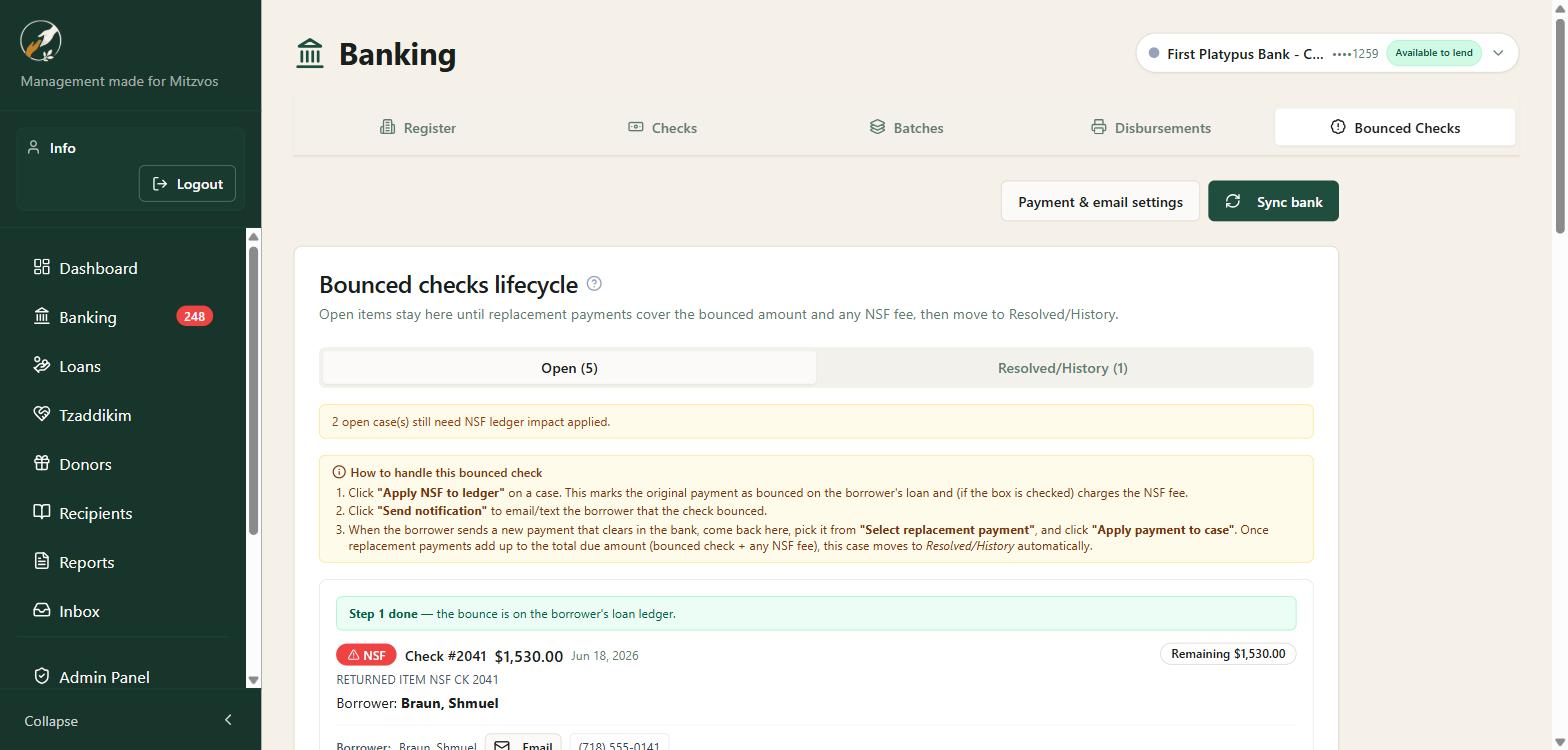
A returned check becomes a case the day the bank reports it. The queue clears when the replacement covers the check. The fee stays on the loan — you are not chasing $35 in a queue built for the $2,000 check. Newest return is on top, and the list can be searched.
Scan what comes in. Print what goes out, on paper your bank will accept, with a number the database owns.
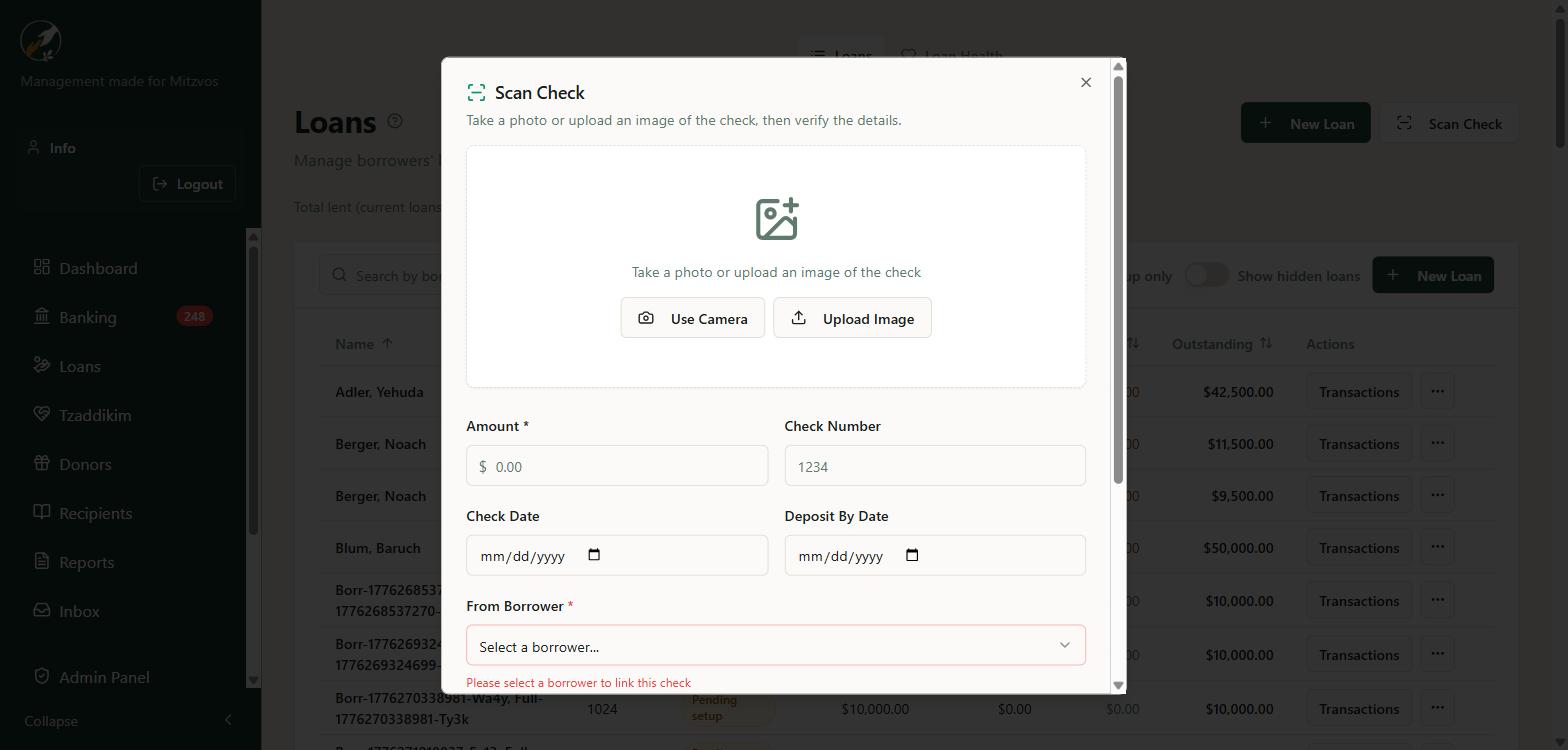
Point your phone at a check and AI reads the amount, check number, routing, and account number. Scan them one at a time or in a batch.
Several checkbooks, a number the database assigns, and states the bank can follow: draft, approved, printed, cleared, voided, and stopped.
That drawer of post-dated checks becomes a dashboard — deposit-by dates, overdue alerts, and reminders sent before each deposit.
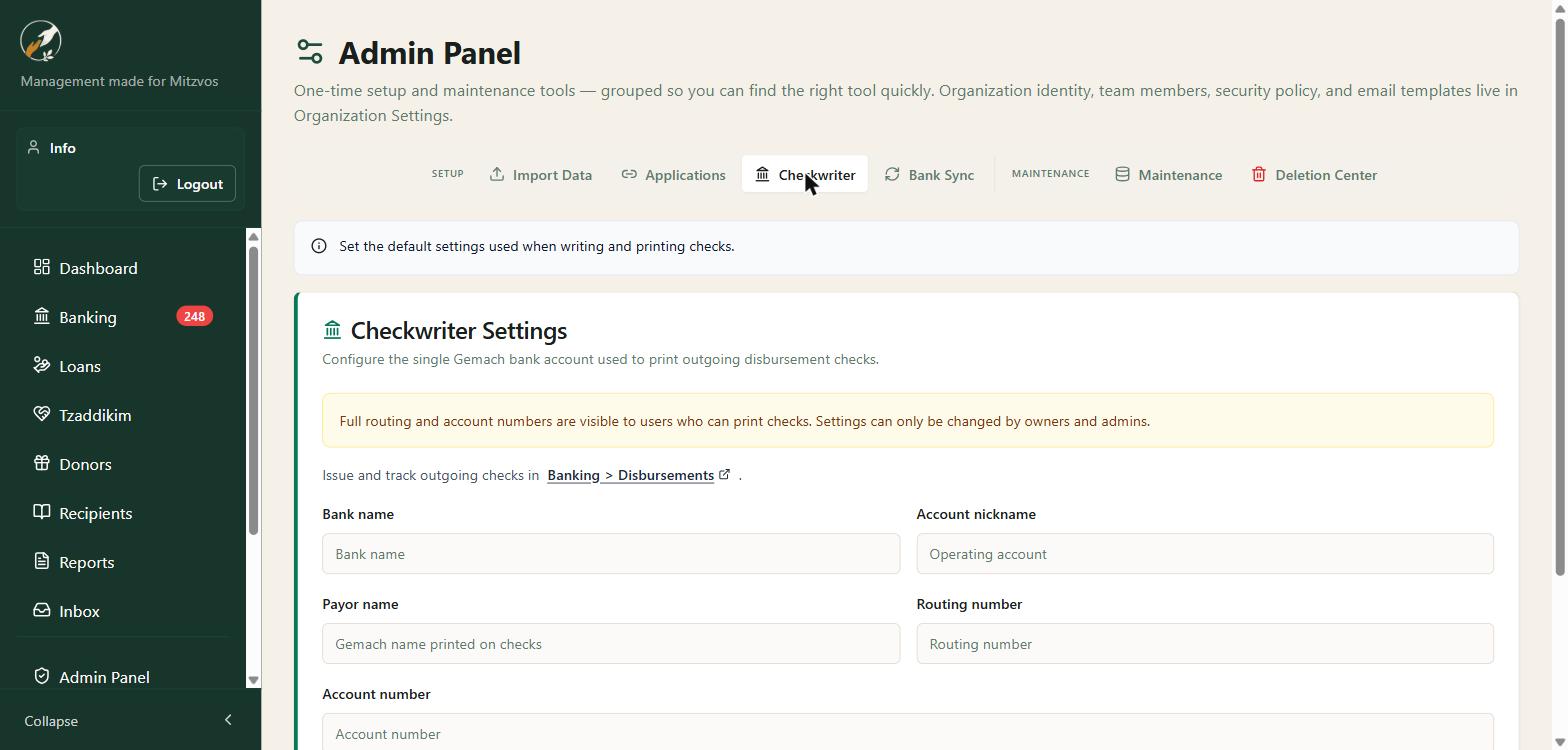
Several checkbooks. One numbering sequence the database owns, so two people printing at once cannot take the same number. Approval before anything is printed or emailed is optional. Draft, approved, printed, cleared, voided, and stopped are different states, and the bank feed is what marks a check cleared.
Design the layout once per account: logo, signature, MICR line, colors, and spacing, with an alignment page before you load a box of stock. Check-on-top, middle, bottom, or three-up. Print a batch, or email a PDF with the MICR line hidden. Above an amount you set, the signature image stays off the check.
Positive Pay exports the file your bank wants. If you later correct the payee, you are warned to send a replacement file.
Void keeps the number, because the bank and Positive Pay already saw it. Delete gives the number back, so the next check can use it. A cleared or bank-matched check cannot be deleted.
An owner can correct the name, address, or memo and reprint the same number. The amount, date, number, and checkbook stay put. Every change keeps the old value and the new one.
A monthly chesed pot can refuse to overdraft. A kollel-style fund can be unlimited and still show who received what, across every checkbook. A campaign funded by donations cannot pay out more than it has, after fees. Each recipient can carry a yearly cap, with a history of every payment they have received.
Avery 5160 labels and envelopes print from the payees you just wrote. Stock running low is flagged before you hit the end of the box. Issued checks older than 90 or 180 days sit on an aging chip so outstanding paper does not go quiet.
Mitzvah Manager keeps three relationships separate so your books make sense: repayable contributions, outright donations, and the vendors you pay.
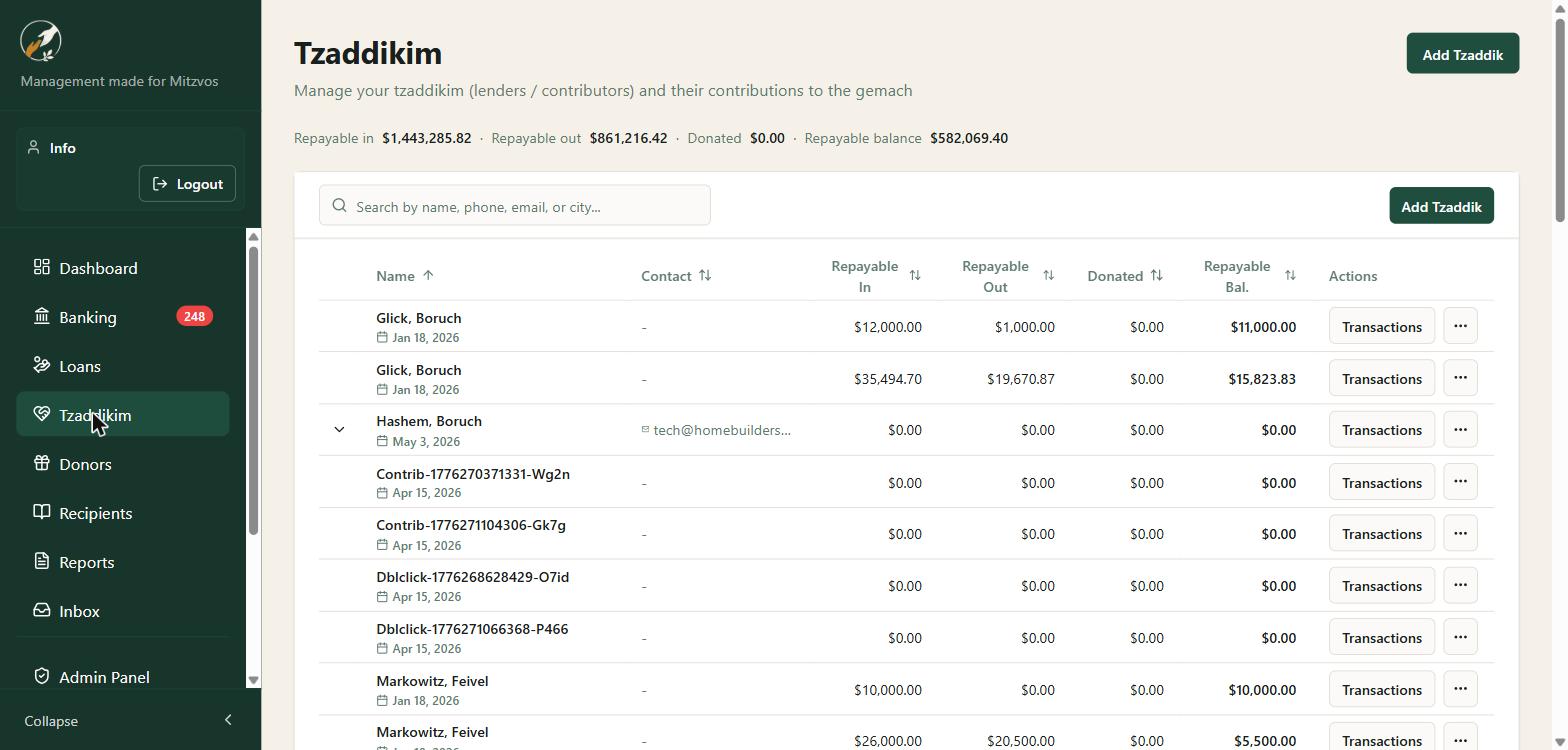
See what each tzaddik has contributed, what's been returned, what they've donated, and their current repayable balance — with full transaction history and term notes.
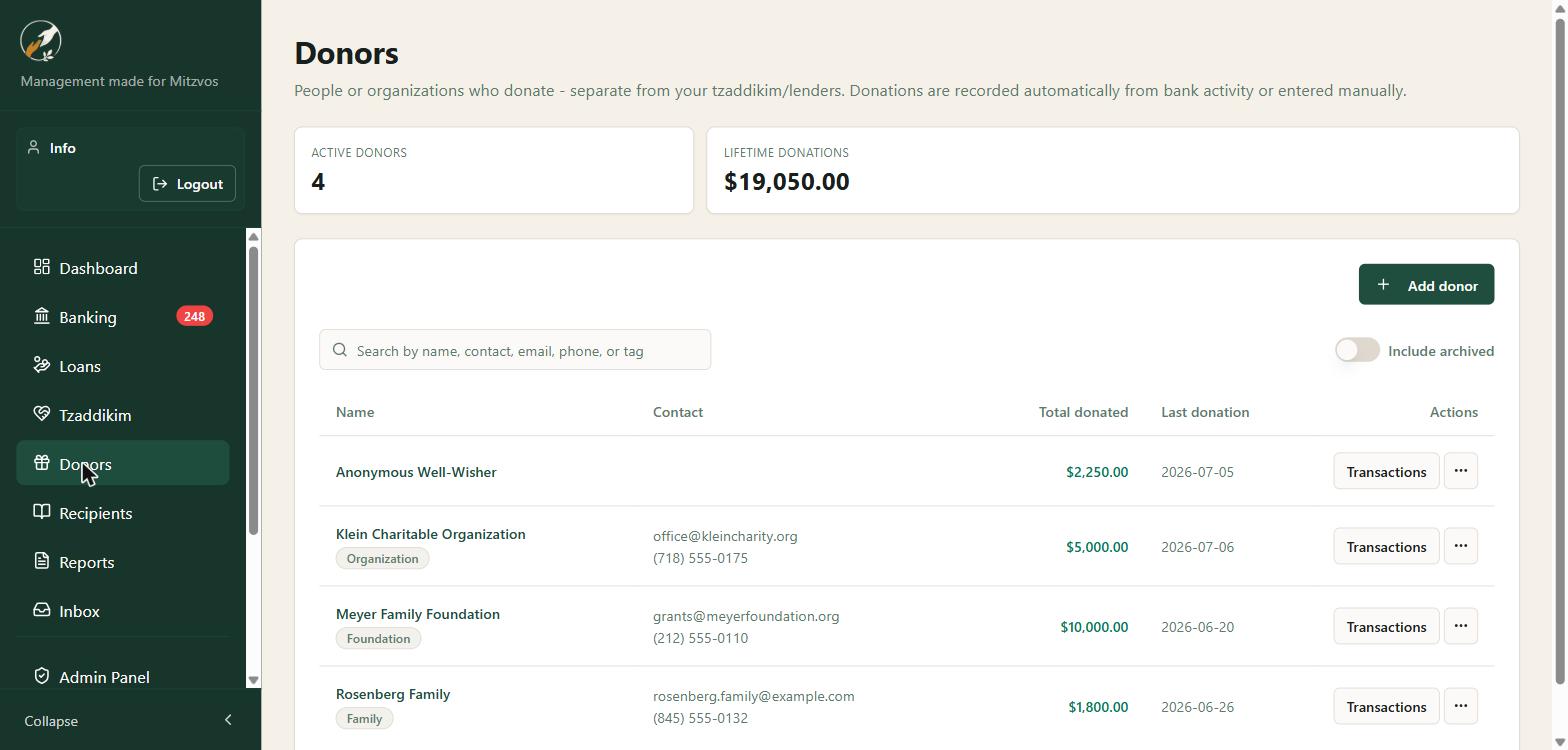
Track individual and organizational donors, record gifts by hand or from the bank, and deliver receipts once a donation is reconciled. Campaign gifts, pledges, and soft credits live on the same donor, so a thank-you and a tax receipt are not two systems.
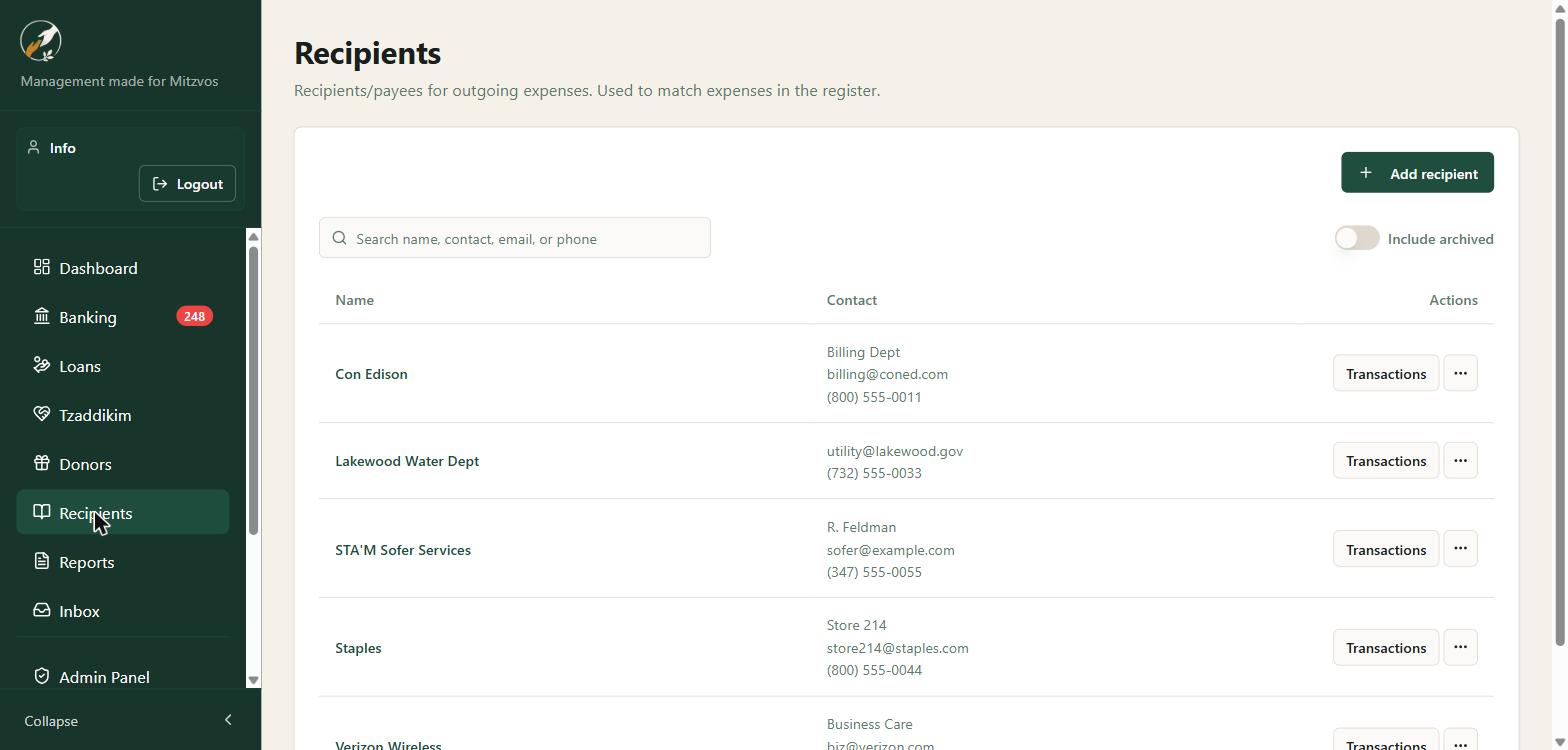
Track the vendors and utilities the Gemach pays so outgoing transactions in the register are classified correctly — real bookkeeping, not just loan tracking.
Some tzaddikim do not want their money lent. They want it spent on a family’s bills. That money is a separate pot, not a donation and not capital.
You see how much is still free and how much is set aside for each family. Moving money from one family to another, or into the free pot, requires an admin and a written reason.
When you pay a store, one bank line can be split: part from the sponsor, part from the gemach. The sponsor’s statement shows only their own money. The family never sees who sponsored them.
Passing that money back to the sponsor, refunding a purchase, or keeping the leftover as a true donation are each their own action. Sponsor money stays off tax receipts unless you deliberately opt in.
A loan schedule has to cover the principal. If it does not, Loan Health says so. You can mark a schedule intentionally short, with a reason, change the day payments fall on, and schedule quarterly or yearly loans.
Payment and deposit reminders send themselves, by email or SMS (with consent). Every message is logged in one place with delivery status.
See projected available funds based on scheduled repayments and check deposits, so you know when you can say yes to the next loan.
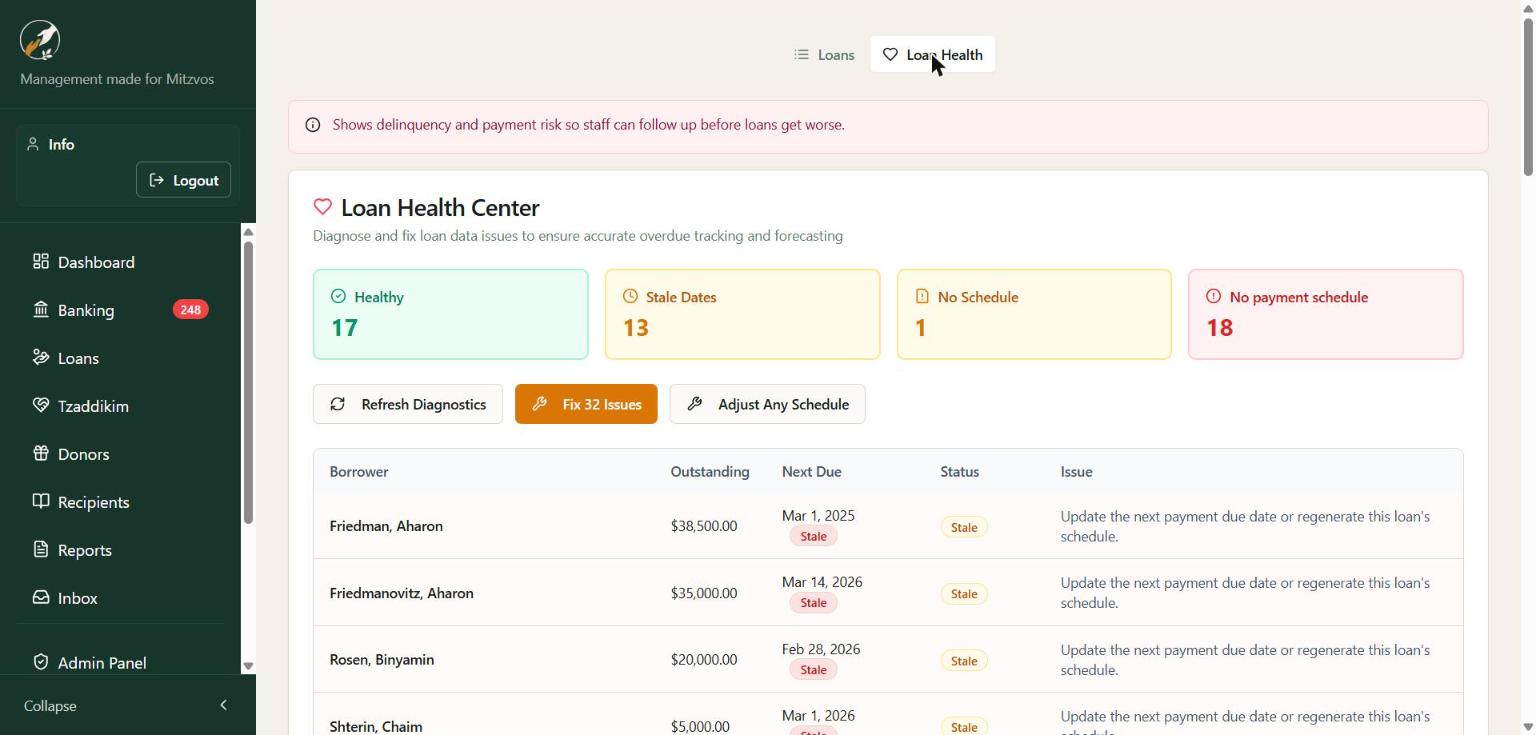
A unified communications log shows every email and text you've sent — recipient, type, and delivery status — with export for your records. No more wondering whether a reminder actually went out.
Twenty reports across your fund, borrowers, lenders, checks, and operations — plus a genuine Chart of Accounts and a QuickBooks-style General Ledger. The fundraising one-pager prints with them.
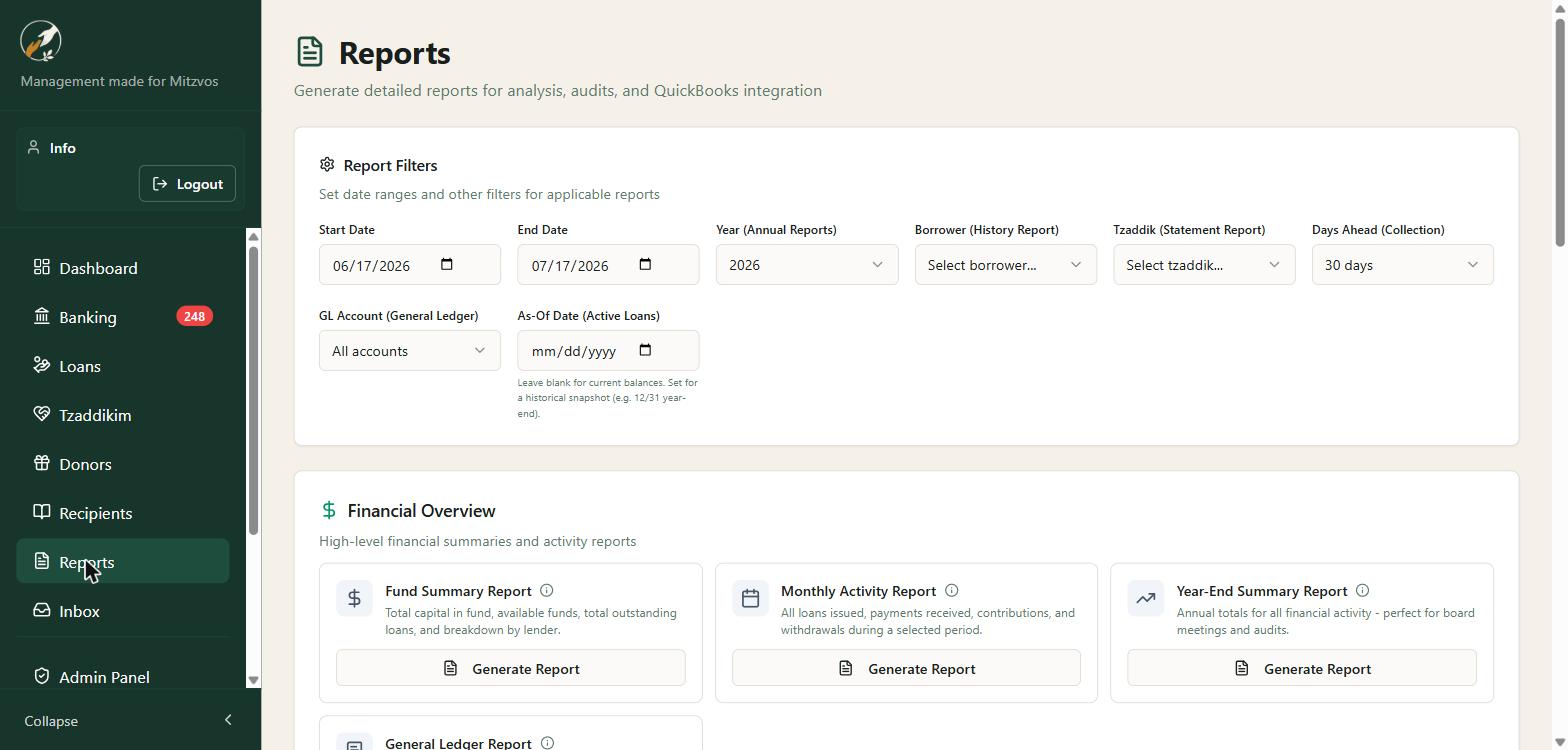
Fund Summary, Monthly Activity, Year-End, Active Loans, Overdue, Loan Aging, Payment Collection, Co-Signer Activity, Tzaddik statements, held-check and NSF reports, cash-flow projections, document compliance — and more.
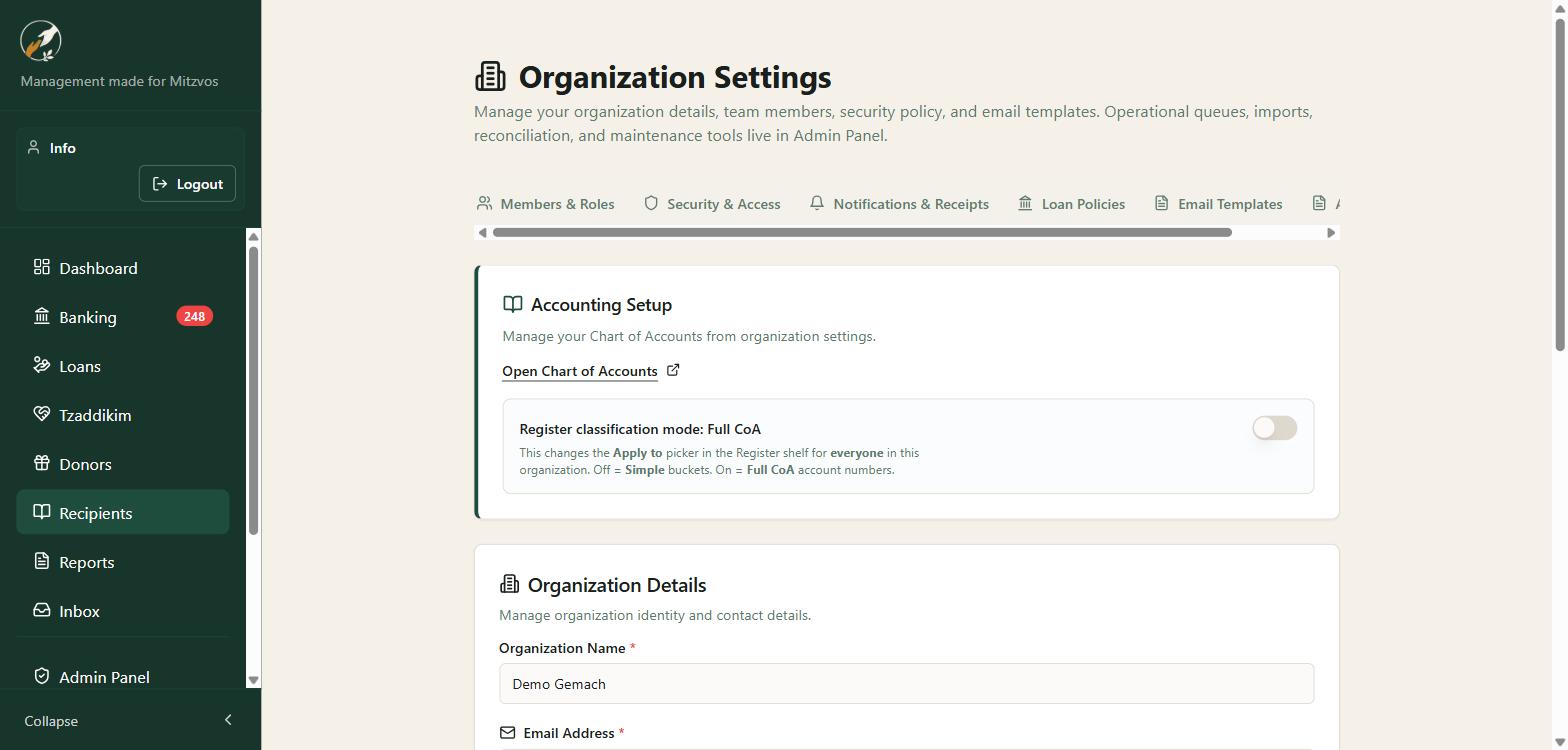
Run the register in simple buckets or with full Chart-of-Accounts numbers, and generate a QuickBooks-style General Ledger with debits, credits, and running balances. Serious books for a serious fund.
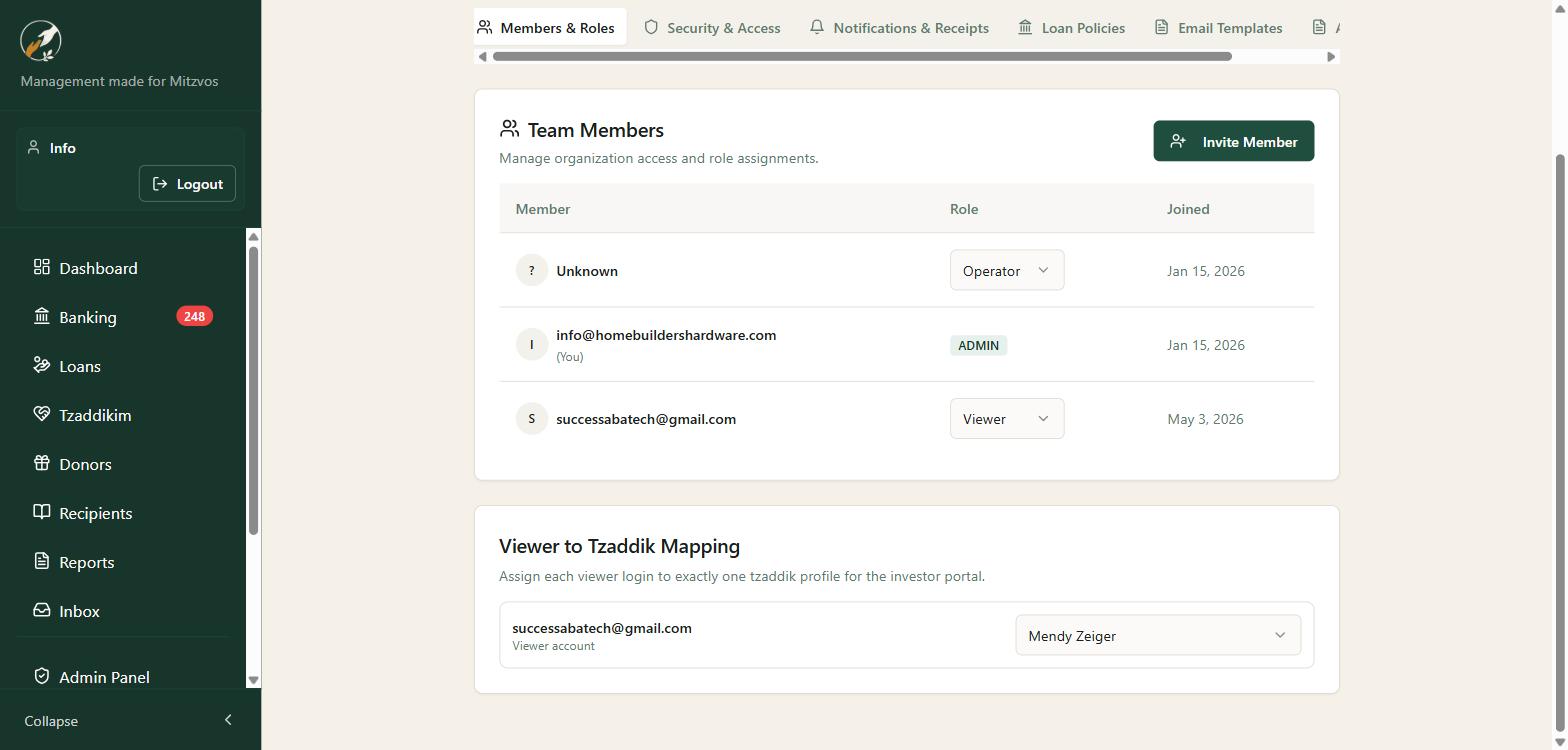
Map a viewer login to a single tzaddik so a lender can log in and see only their own contributions and balance. Transparency that builds the trust your fund runs on.
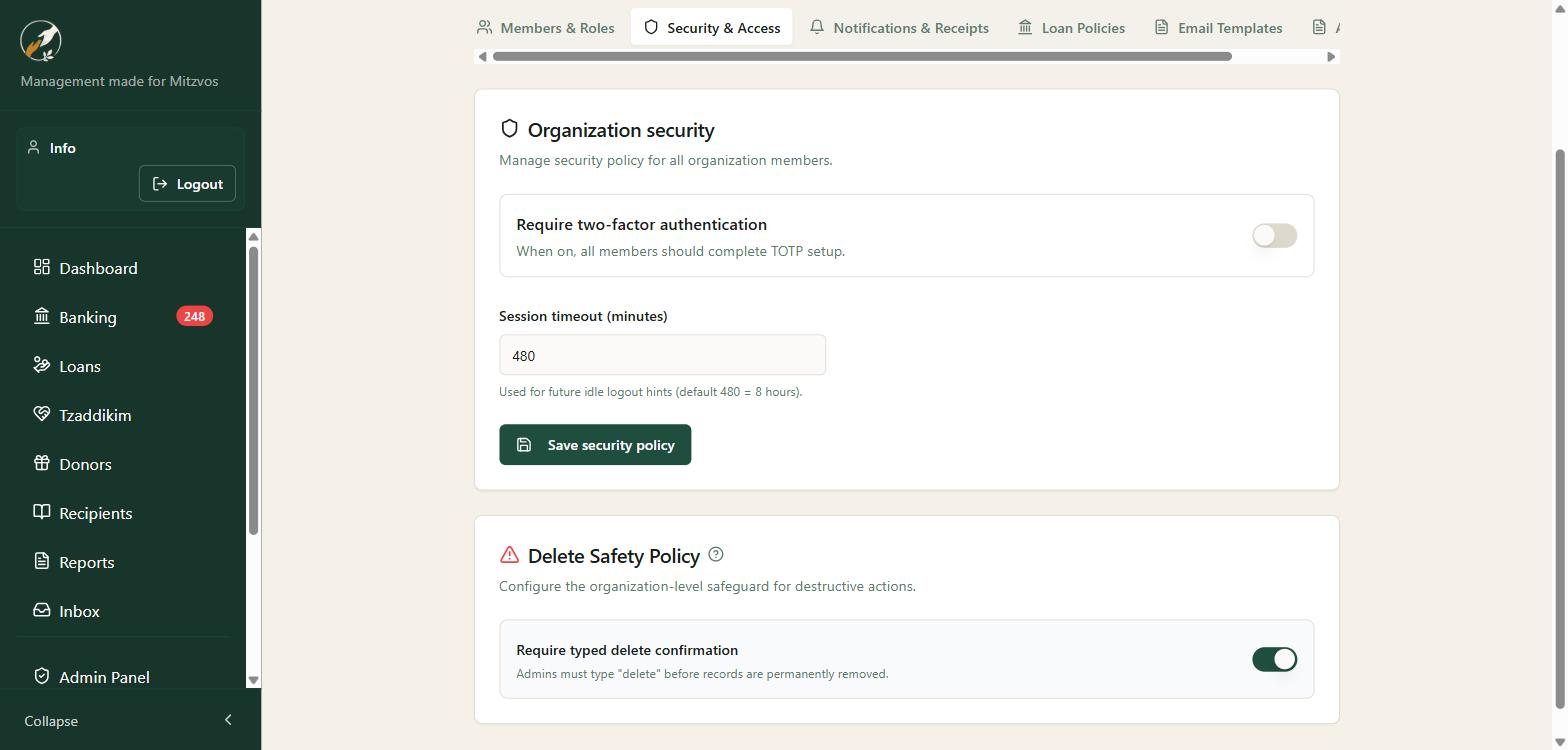
Require two-factor authentication, set session timeouts, and require typed confirmation before anything is deleted. Invite your team with role-based access — Owner, Admin, Member/Operator, and Viewer.
Invite admins, volunteers, and board members with exactly the access they need.
Phone, tablet, or computer. Nothing to install — just log in from any browser.
Every file on a loan or a tzaddik contract can be opened, downloaded, or removed. Removing it stays removed.
If you do not make loans, turn lending off. Campaigns, donors, recipients, the register, and Checkwriter stay. Loan menus stay hidden until you need them.
Real people who understand Gemach operations — typically within 30 minutes.
Schedule a demo and we’ll walk through the books you already keep — loans, campaigns, the register, and the checks — in one place.
Schedule a Demo